How to Check a Trend Path Indicator for MT4 for Repainting
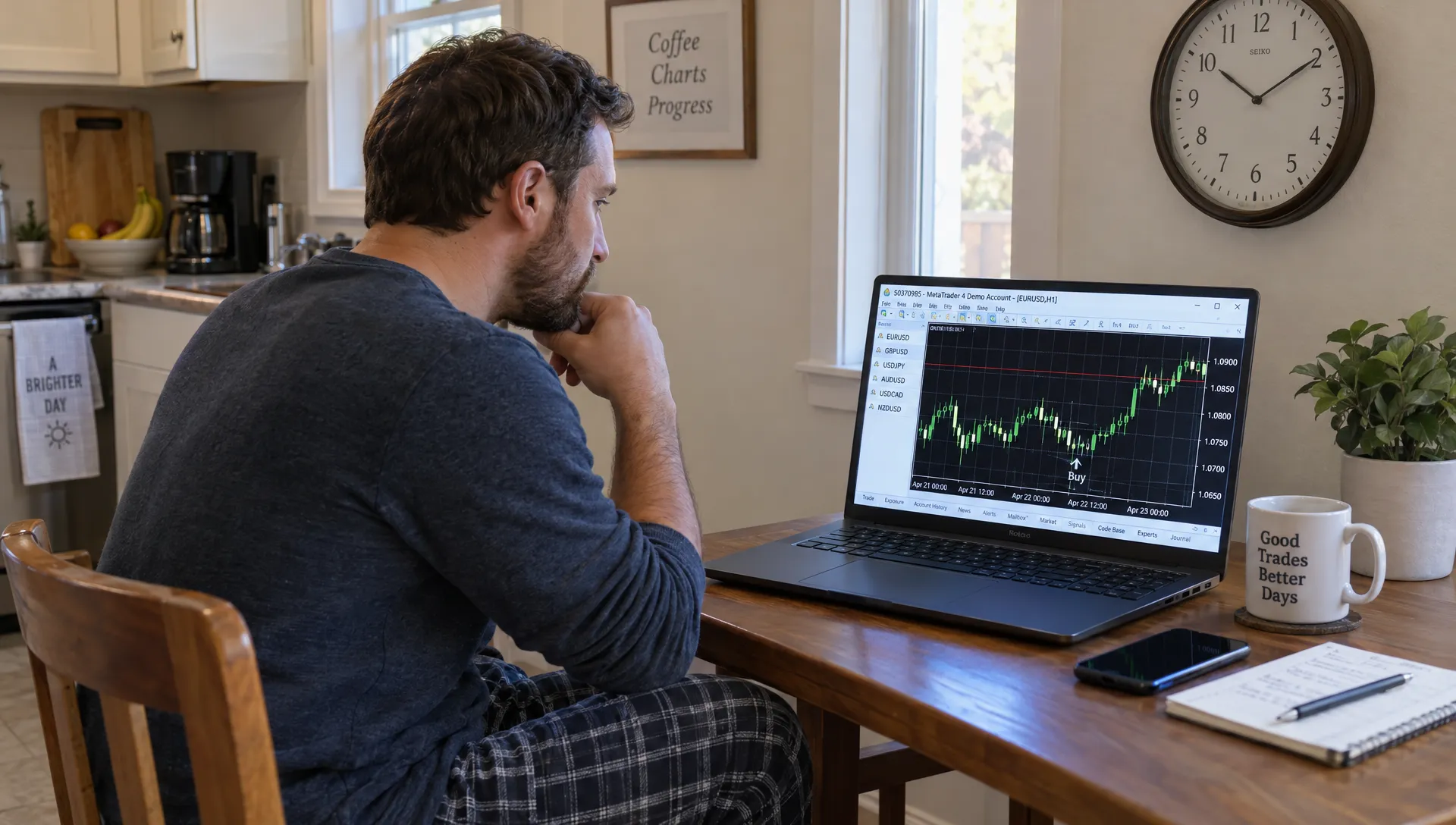
If you found a trend path indicator mt4 download, a chart full of well-placed arrows does not establish that those signals were available in real time. To check for repainting, record signals as candles close, revisit those same candles later and compare the original record with the indicator’s recalculated output.
The crucial distinction is between a signal changing on an unfinished candle and a signal changing after its stated confirmation point. This guide explains how to test that distinction on a demo account, identify delayed or backfilled signals and avoid mistaking an attractive historical chart for a tradable strategy.
What Counts as Repainting?
In practical terms, repainting occurs when an indicator changes previously displayed output as new information arrives. Not every change is deceptive, but every change matters when deciding whether a historical signal could actually have been traded.
MetaQuotes’ documentation on time-series indexing explains that index 0 represents the current, unfinished bar. Its price data can change with incoming ticks. Index 1 represents the most recently completed bar.
Use these distinctions when reviewing an indicator:
| Behavior | What happens | What it means for testing |
|---|---|---|
| Current-bar updating | A line or arrow changes before the candle closes | Potentially normal, but intrabar signals are provisional |
| Closed-bar revision | A signal changes or disappears on a completed candle | It may invalidate a closed-candle trading rule |
| Backpainting | A signal appears on an earlier candle only after later candles arrive | The plotted candle is not the signal’s availability time |
| Higher-timeframe updating | Lower-chart signals change while a referenced higher-timeframe candle remains open | Confirmation may require that higher-timeframe candle to close |
For a trend path indicator MT4 traders intend to use, the useful question is therefore not simply whether the picture changes. It is when the signal becomes available and whether it remains stable after the claimed confirmation point.
A pivot-based indicator, for example, may legitimately require several later bars to confirm a turning point. Plotting the result on the pivot candle does not make that earlier price an executable entry.
Set Up a “trend path indicator mt4” Test Safely
A product name alone does not identify the code, version or calculation method you have. Start by recording the publisher, download location, filename and version. Keep the original file so that later updates do not silently change your test.
Prefer an identifiable publisher’s distribution page over anonymous file mirrors. An .mq4 file contains source code, while an .ex4 file is compiled. Source availability can help inspection, but neither format guarantees safety or signal quality.
For ordinary custom indicators, open File > Open Data Folder, place the file in MQL4/Indicators, then refresh the Navigator or restart MT4. Follow any documented dependency instructions rather than moving unfamiliar files into unrelated folders.
Use a separate demo terminal where practical. Keep DLL imports disabled unless you understand why they are required and trust the publisher. Do not enable live trading permissions merely to inspect an indicator.
Also separate promotional credibility from technical evidence. If an affiliate review led you to the download, check its compensation disclosures. For background on that commercial context, Carl Davies’s Internet Marketing Blog covers affiliate marketing and building reader trust. That context can help you assess a recommendation, but it cannot verify whether trading signals repaint.
Require timestamped observations rather than relying on a seller’s finished chart or an unsupported “non-repainting” label.
Freeze the Settings and Define Confirmation
Before testing a trend path indicator MT4 users might apply differently, create one fixed configuration. Otherwise, a changed setting can look like repainting even though you are comparing different calculations.
Record the following in a single test sheet:
- Broker, symbol, chart timeframe and relevant trading session
- Indicator filename, version and complete input settings
- Referenced timeframe, price source and any smoothing or confirmation options
- MT4 terminal build and test dates
- The exact condition that makes a signal actionable
Define confirmation in observable terms. For example: “A buy arrow must be present on the completed candle at the first tick of the next candle.” If the indicator depends on an hourly candle while displayed on a five-minute chart, specify whether confirmation also requires the hourly candle to close.
Do not assume an option called “closed candle,” “non-repaint” or “confirmation” works as its name suggests. Those are claims to test.
Keep inputs, symbol and timeframe unchanged during the core comparison. Test alternative configurations separately, each with its own record.
Capture Signals as They Actually Appear
Record the First Available Signal
Attach the indicator to a demo chart and observe it as new candles form. At each new bar, record the output on the candle that just closed. Include the candle’s opening timestamp, signal direction, plotted value if applicable and the time you first observed it.
Those timestamps answer different questions. The candle timestamp identifies where the signal is drawn. The observation timestamp establishes when you could first have acted.
For any trend path indicator MT4 traders assess through alerts, record the alert time separately. An alert might arrive before candle close, repeat several times or arrive after the arrow’s plotted candle. A stable final arrow does not prove that the alert behaved consistently.
Screenshots should show the symbol, timeframe and candle timestamps. Save the settings alongside them. A screenshot without enough context is difficult to compare reliably.
Recheck the Same Candle Later
Revisit recorded signals after several more candles, after the next relevant higher-timeframe close and after a terminal restart. Check whether each signal retained its original direction, location and value.
Compare by timestamp, not bar number. A candle that was bar 1 becomes bar 2 when another candle opens. Comparing bar 1 repeatedly would compare different candles and produce a misleading result.
Also watch candles that originally had no signal. Backpainting can add an excellent-looking arrow to the past without deleting any previously recorded arrow.
As a practical starting sample, observe a few hundred bars across trending and sideways periods. That is a useful screening exercise, not proof that the indicator will never revise a signal.
Replay History Without Trusting the Finished Chart
Historical replay supplements forward observation. It does not replace it.
A completed chart already contains information that was unavailable earlier. If you load an indicator across that history and count its final arrows, you may accidentally give the strategy access to later price data.
For a trend path indicator MT4 backtest, use the Strategy Tester through an Expert Advisor test harness that calls the indicator and records its output as simulated time advances. MT4’s testing workflow centers on Expert Advisors, so do not assume that simply opening a historical indicator chart provides a valid replay.
Use visual mode to inspect behavior where appropriate, but retain the recorded observations. The final visual chart can still contain signals that appeared retrospectively during the run.
MT4’s standard Every tick mode uses modeled ticks. It does not reproduce every live quote or guarantee identical intrabar alert behavior. Treat close-of-bar tests and tick-sensitive tests as different exercises.
What an Automated Logger Should Capture
A developer can use MQL4’s iCustom function to read exposed indicator buffers. The correct input order and buffer indexes must come from the indicator’s documentation or source code, not guesswork.
The logger should store the first observed output for each candle timestamp, then compare it with later readings for that same candle. This catches both disappearing signals and signals added to previously empty candles.
Some indicators draw chart objects rather than exposing all signals through buffers. In that case, the test must also inspect the relevant objects, including their time, price and direction. A buffer-only logger could otherwise miss the displayed signal entirely.
Handle empty values according to the implementation. Do not assume zero always means “no signal,” since zero can be a legitimate value for some oscillators.
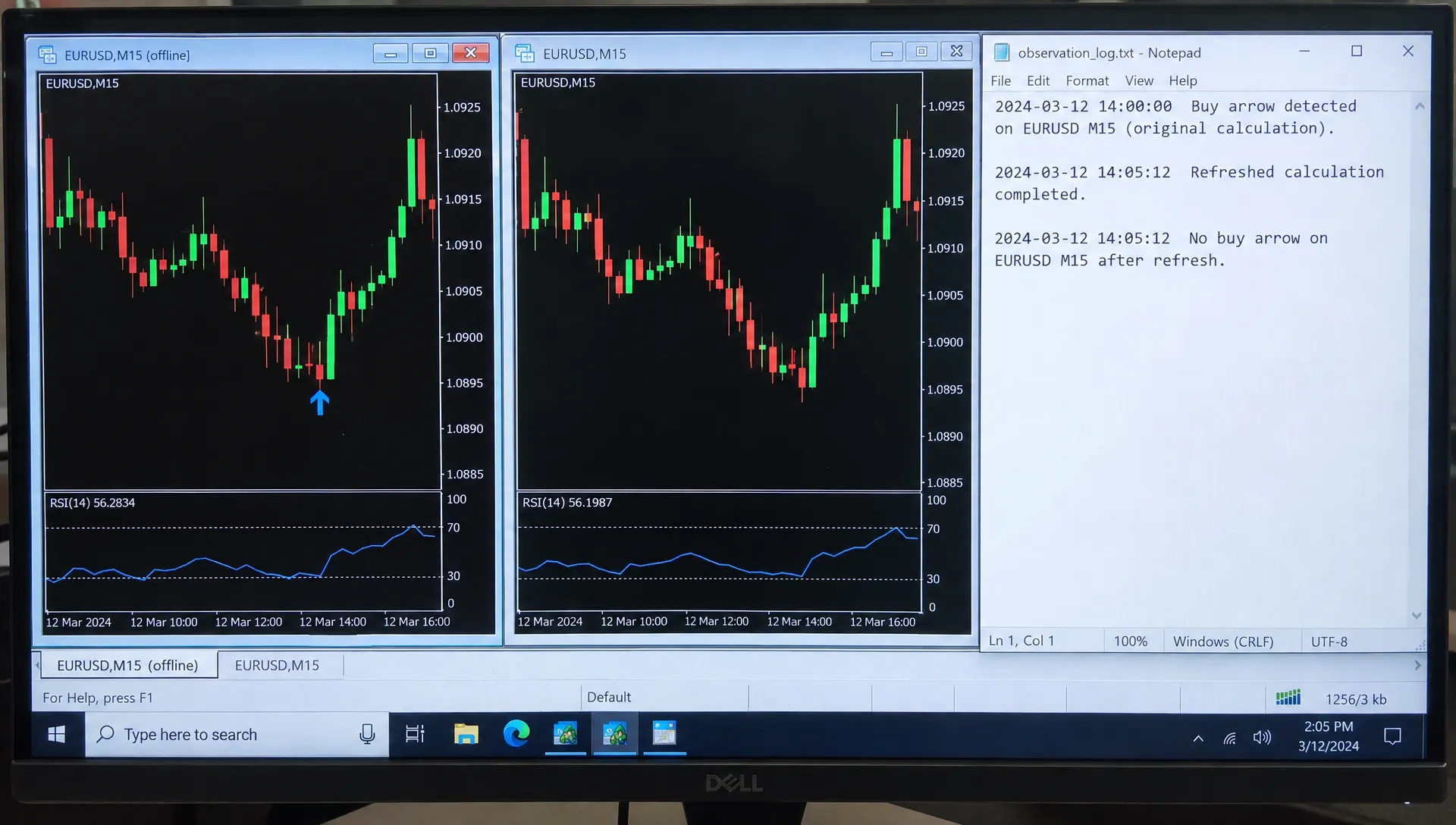
Compare the Original Record With Recalculated Output
After building a forward record, take fresh screenshots, then refresh or reattach the indicator and reopen the chart. Compare the recalculated history with your saved observations.
A refresh is not the whole test. Some revisions happen continuously, while other differences appear only when the indicator rebuilds its calculations.
| Observation | Reasonable conclusion | Next action |
|---|---|---|
| Only the unfinished candle changes | Live-bar updating was observed | Test whether waiting for confirmation resolves it |
| A supposedly confirmed arrow disappears | The claimed confirmation rule failed in that case | Reject that rule or investigate the documented delay |
| An arrow appears later on an older candle | Backpainting was observed | Use its actual first-observed time in performance tests |
| Signals change until a higher-timeframe close | The higher-timeframe input remains provisional | Align the rule with the required close and retest |
| Differences follow corrected history or changed inputs | The comparison conditions changed | Restore consistent conditions before attributing the cause |
When checking a trend path indicator MT4 charts display, distinguish signal revisions from changes to the underlying price history. Broker corrections, newly downloaded history and different loaded-history lengths can affect recalculation.
Record those events rather than silently counting every difference as the same defect.
Turn the Findings Into Realistic Trading Rules
A useful test conclusion is specific: “No closed-bar revisions were observed with these settings over this period.” That is stronger evidence than a marketing claim, but narrower than “this indicator never repaints.”
If you observe revisions, describe their timing and scope. A signal that stabilizes only after three additional candles must be evaluated as a delayed signal, even if its arrow sits on an earlier candle.
For a trend path indicator MT4 traders want to automate, any strategy test should enter no earlier than the first available tick after the required confirmation. Do not assign the entry to an earlier arrow candle merely because that produces a better price.
Define exits before measuring performance. A signal-integrity test does not establish where stops belong, how much capital to risk or whether a reversal signal is an appropriate exit. Include spread, commissions and plausible slippage when assessing a complete strategy.
Adding another indicator does not repair lookahead bias. A moving-average filter can restrict trades, but both tools must be evaluated using information available at the time. Likewise, an overbought or oversold reading, if the indicator provides one, is not a guaranteed reversal.
Finally, test the fixed rules on a separate period. Stable historical signals can still belong to an unprofitable strategy, particularly in sideways markets or after transaction costs.
Frequently Asked Questions
Does a changing arrow on the current candle prove repainting is misleading? No. An unfinished candle changes with incoming prices, so provisional arrows may change too. The concern is whether the indicator’s behavior matches its stated confirmation rule and the way its performance is presented.
Does every “trend path indicator mt4” download use the same calculation? Do not assume so from the name. Identify the publisher, file version and inputs. A test result applies to the file and configuration tested, not every similarly named download.
Can an indicator repaint after a candle closes? Yes. Higher-timeframe inputs, pivot confirmation and other calculation methods can revise or backfill output on completed lower-timeframe candles. A history correction can also change results, so document the surrounding conditions.
Can I test a compiled EX4 file without its source? Yes. Forward observations, screenshots, accessible buffers and chart-object logs can reveal changed signals. Without source code, however, you may not be able to explain every cause or inspect hidden dependencies.
Does non-repainting mean profitable? No. It describes signal stability, not predictive accuracy or net returns. Profitability requires a separate evaluation of entry timing, exits, position sizing and trading costs.
Keep Signal Testing Separate From Portfolio Research
Before risking money, preserve the original signals, compare identical candle timestamps and use actual signal availability in every performance calculation.
For a broader view of your investing decisions, portfolio comparison on Upside lets you explore allocations alongside anonymously verified investor holdings. That serves a different purpose from testing an MT4 indicator: community holdings can inform portfolio research, but they cannot validate a trading signal or guarantee returns.