How to Test a Forex Trend Detector EA in a Demo Account
Testing a forex trend detector EA in a demo account should answer more than whether its balance goes up. You need to establish whether it follows its stated rules, controls exposure and handles execution problems without leaving unmanaged positions. A profitable week can conceal oversized trades, unclosed losses or unrealistic demo fills.
Use the workflow below to separate software reliability from trading performance. Keep settings fixed, record what happens and decide your acceptance criteria before seeing the results. Demo testing reduces the risk of discovering defects with real money, but it cannot prove future profitability.
1. Identify what you are actually testing
An Expert Advisor, or EA, is a program that runs within MetaTrader. Depending on its design and permissions, it can analyze prices, generate alerts or submit and manage orders. An indicator generally supplies chart information rather than placing trades itself.
Do not rely on a product name or download extension to distinguish them. Compiled indicators and EAs can share the same platform-specific extension. Check the documentation, installation folder and actual behavior.
A forex trend detector EA might combine moving averages for direction, ADX for trend strength and ATR for stop placement. Those ingredients do not tell you whether its entries, exits or risk controls are sensible.
Before installation, establish the following:
- Trading behavior: Does it execute orders automatically, send alerts only or require another program?
- Compatibility: Is the supplied version for MT4 or MT5, and which account types does it support?
- Signal timing: Does it act during a forming candle or only after a candle closes?
- Position management: Does it use hard stops, virtual stops, grid orders or increasing position sizes after losses?
- Dependencies: Does it need external signals, a subscription server, DLL access or a particular broker symbol format?
Grid trading and martingale recovery deserve particular scrutiny. A smooth balance curve can coexist with growing floating losses and escalating exposure. If the developer will not explain the loss-management mechanism, stop the evaluation there.
2. Create a separate, securely configured demo environment
Choose a demo account that resembles the account you would actually use: account currency, starting balance, leverage, instruments and contract specifications should be comparable. An oversized demo balance can hide margin pressure that would matter in a smaller account.
Install your forex trend detector EA only from a source you can identify, such as the publisher’s official distribution channel or the platform marketplace. A marketplace listing is not proof that a strategy is profitable. Keep a record of the publisher, version and download date.
In MetaTrader, open the platform’s data folder and follow the publisher’s instructions for the appropriate Experts directory. MT4 and MT5 files are not interchangeable. Refresh the Navigator or restart the terminal as needed, then attach the program to its intended chart.
Check permissions before enabling automation
Confirm that the connected account is a demo account before switching on automated trading. Do not grant DLL access or external web access merely to clear a warning. Require a documented reason and whitelist only necessary destinations.
Never send a publisher your brokerage password to obtain installation help. If remote access is proposed, consider what else that person could access on the computer.
Finally, inspect the Experts and Journal logs. Confirm that the EA initialized successfully, recognized the correct symbol and loaded its settings. A chart icon alone does not establish that trading logic is running correctly.
3. Write a forex trend detector EA test plan
Save a settings file and a short written specification before the first trade. Include the version number, broker server, server time zone, symbols, chart timeframes and any higher-timeframe inputs.
Your specification should make expected behavior observable. “Trades with the trend” is too vague. “Evaluates entries after an hourly candle closes and permits no more than one open position per symbol” is testable, if that matches the documented strategy.
| Test component | What to define before starting |
|---|---|
| Entry and exit behavior | Signal timing, order type, stop placement and exit conditions |
| Exposure limits | Maximum position size, simultaneous trades and total currency exposure |
| Loss controls | Per-trade risk, account-level loss limit and response to missing stops |
| Operating conditions | Trading sessions, news restrictions and acceptable spread |
| Evaluation window | Minimum calendar coverage, trade observations and extension rules |
| Stop conditions | Unauthorized sizing, unexplained orders or failures to manage risk |
For a forex trend detector EA, the test window should reflect trading frequency and market conditions, not an arbitrary promise that a month is enough. A slow system may need months to produce useful observations. Even a large trade count can be misleading if every trade occurred during one unusually persistent trend.
Choose a review date, but allow the outcome to be insufficient evidence. Do not force trades or increase risk simply to finish the test sooner.
4. Establish a backtest baseline without optimizing the answer
Run an initial historical test to check whether the program behaves plausibly before leaving it operating unattended on demo. Use the intended instruments, timeframe and position-sizing settings.
For MT5, consult the official Strategy Tester documentation when selecting modeling and execution settings. Where suitable data are available, tick-level testing can expose behavior that coarse price models miss, particularly for intrabar entries and tight stops.
Backtesting a forex trend detector EA should include realistic spreads, commissions and overnight financing where the testing environment supports them. Verify what the report actually includes rather than assuming every cost is present.
Keep development data separate from evaluation data. If you change parameters after examining a period, that period is no longer an untouched test. Upside’s guide to backtesting without look-ahead bias explains why signal timestamps and data availability matter.
Review individual trades as well as the summary. Check that entries occur after the information needed to generate them was available. Include trending and ranging periods, and inspect the worst losing sequence. An attractive aggregate return is not a substitute for understanding how losses develop.
5. Forward-test signals, orders and failure handling
Begin the demo run with the saved settings and avoid discretionary interference. Closing losing positions manually or skipping signals changes the strategy being tested. If intervention is necessary for a safety issue, document it and classify the affected results separately.
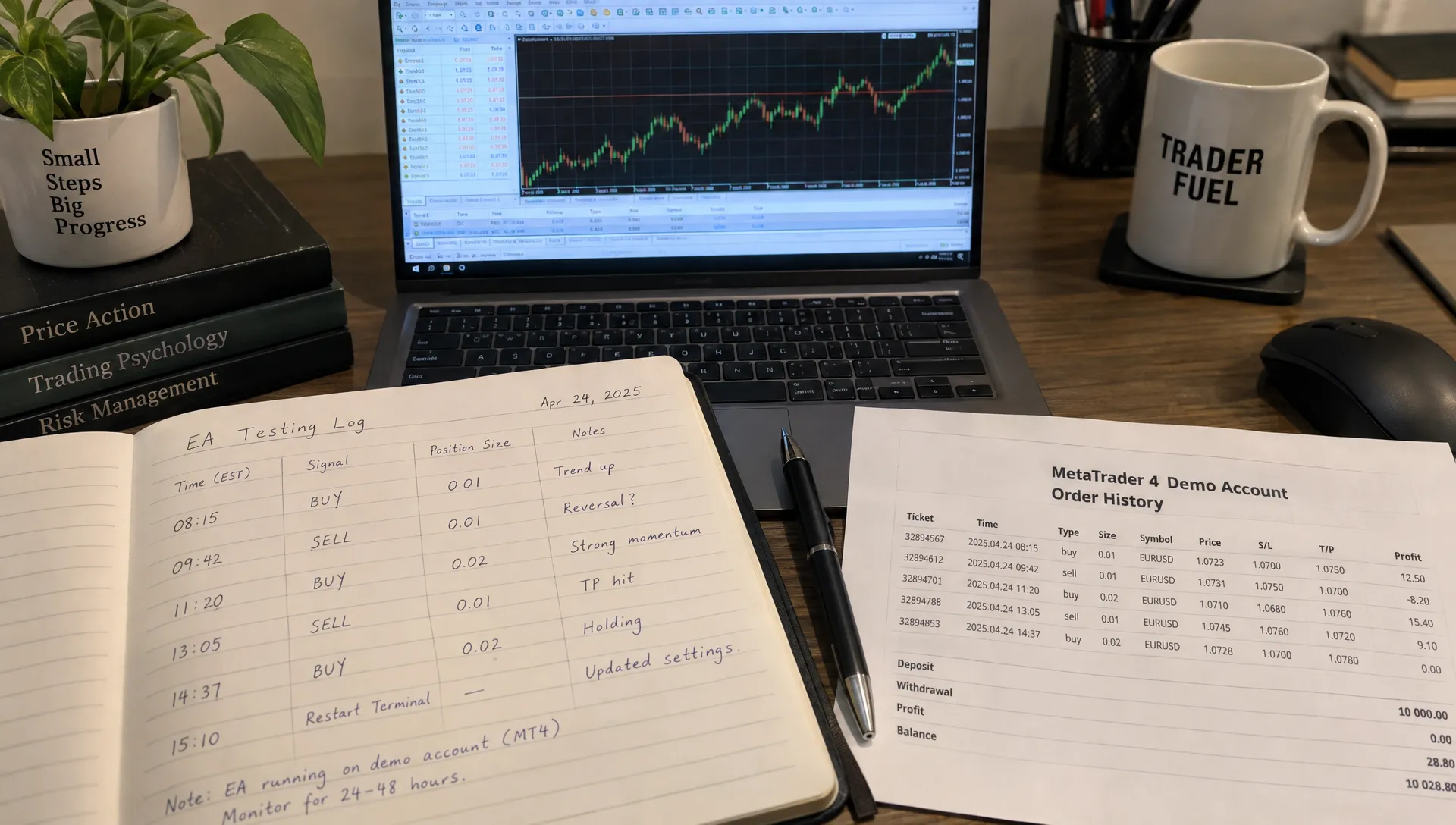
During forward testing, a forex trend detector EA should produce an auditable chain from signal to order to exit. Record the signal timestamp, requested order, actual fill, position size, stop level and eventual outcome. Include the platform’s server time so you can reconcile records later.
Capture screenshots when signals first appear and again after the relevant candles close. A signal changing on an unfinished candle is not automatically repainting. A supposedly confirmed historical signal disappearing or moving later needs explanation.
Compare the order history with the documentation. Look for duplicate entries, unexpected additions to losing positions and trades outside permitted sessions. If the system consumes external signals, record interruptions or delayed updates rather than attributing every anomaly to price behavior.
Test interruptions deliberately, while still on demo
Schedule controlled checks for terminal restarts, connection loss and automation being disabled. Observe whether the program recognizes existing positions when it resumes or mistakenly submits new ones. Preserve logs around each event.
Determine where protective exits reside. A stop accepted by the broker may remain active when the terminal disconnects. A virtual stop managed only by the EA generally requires the relevant software and connection to remain operational. Neither arrangement guarantees execution at the requested price during gaps or fast markets.
A forex trend detector EA that cannot recover safely from a routine restart has an operational defect, regardless of its returns. Likewise, unexplained changes in trade size require investigation before testing continues.
Keep software versions and settings unchanged during a run. If a bug fix or parameter change is necessary, label the next observations as a new test version rather than blending both records.
6. Evaluate returns after costs and open-position risk
Reconcile the terminal report with your trade log. Include commissions and financing, and distinguish closed-trade balance from account equity. Equity includes floating profit or loss, which is essential when a system keeps losing positions open.
When evaluating a forex trend detector EA, compare performance with the risk required to obtain it. Two systems with identical returns can have very different drawdowns, margin usage and exposure to a single currency.
| Measure | What it helps reveal |
|---|---|
| Net profit or loss | Whether recorded gains survive included trading costs |
| Maximum equity drawdown | The largest observed peak-to-trough equity decline |
| Average net result per trade | Whether the observed trading edge survives costs |
| Profit factor | Gross winning results relative to gross losing results, using a consistent cost convention |
| Maximum concurrent exposure | Risk hidden by reviewing each trade separately |
| Losing streak and recovery time | How losses cluster and how long recovery takes |
| Execution and rule failures | Whether reported returns came from the intended strategy |
Inspect long and short trades, individual symbols and trading sessions separately. Several positions may express the same underlying currency bet. For example, long EUR/USD and long GBP/USD both carry short-dollar exposure.
Stress the assumptions, not just the parameters
Suppose 100 hypothetical trades produce 40 winners averaging $30 and 60 losers averaging $15, before transaction costs. That is $300 gross profit. At $4 in total costs per completed trade, the result becomes a $100 loss. These are illustrative figures, not performance expectations.
Recalculate using less favorable costs where possible, without changing the entry rules. Demo fills may not reproduce live slippage, partial fills, rejected orders or liquidity constraints. A strategy with a narrow cost margin needs particular caution.
Treat third-party performance records as supporting evidence only. Check whether they are independently verified, demo or live, current and inclusive of open equity, withdrawals and losing periods. Verification does not guarantee future results.
7. Decide whether to continue, revise or reject
Review the evidence against the criteria written before testing. Do not invent a more forgiving standard because the equity curve looks promising.
Continue testing when the software follows its rules but lacks enough trades or market-condition coverage. Revise and restart when a documented implementation issue can be corrected without pretending the earlier results remain comparable. Reject when behavior is opaque, exposure escalates beyond limits or operational failures remain unresolved.
A forex trend detector EA should not receive a pass merely because it made money on demo. The stronger outcome is a reproducible record showing understandable behavior, bounded exposure and results that survive reasonable cost assumptions. Even that supports further evaluation, not an assurance of live profitability.
Use a recurring review process rather than watching the balance constantly. A monthly trading review built around reconciled results and rule adherence can help structure that assessment.
If the project later becomes a UAE-based business, corporate administration is a separate workstream. Alldren provides UAE company structuring and ongoing compliance support. Company formation does not establish trading authorization or validate an EA’s performance; confirm any required financial-services permissions with the relevant regulator before commercial use.
Frequently asked questions
Can I test an MT4 EA in MT5? Not directly. MT4 and MT5 use different program formats and execution environments. Obtain the appropriate version and test it independently rather than assuming equivalent behavior.
How long should a demo test last? Long enough to observe meaningful trade activity, different market conditions and operational interruptions. There is no universal number of weeks or trades that proves reliability or profitability.
Why is my forex trend detector EA not opening trades? Check account permissions, the platform’s automation setting, initialization logs, market hours, spread filters and symbol compatibility. The absence of a qualifying signal may be correct behavior. Do not relax risk settings simply to generate activity.
Does a successful demo test justify using real money? It establishes only what happened under the observed demo conditions. Live execution, costs and financial consequences can differ. Unexplained behavior or insufficient evidence is a reason to postpone a live decision.
Keep EA testing separate from portfolio research
An automated trading test evaluates software and a specific strategy. It does not establish whether leveraged forex belongs in your overall portfolio. For broader allocation research, Upside Invest offers anonymous, verified investor holdings and portfolio comparisons. Use that broader perspective alongside your test records, not as a replacement for execution and risk checks.