7 Privacy Checks Before Sharing Your Investment Portfolio
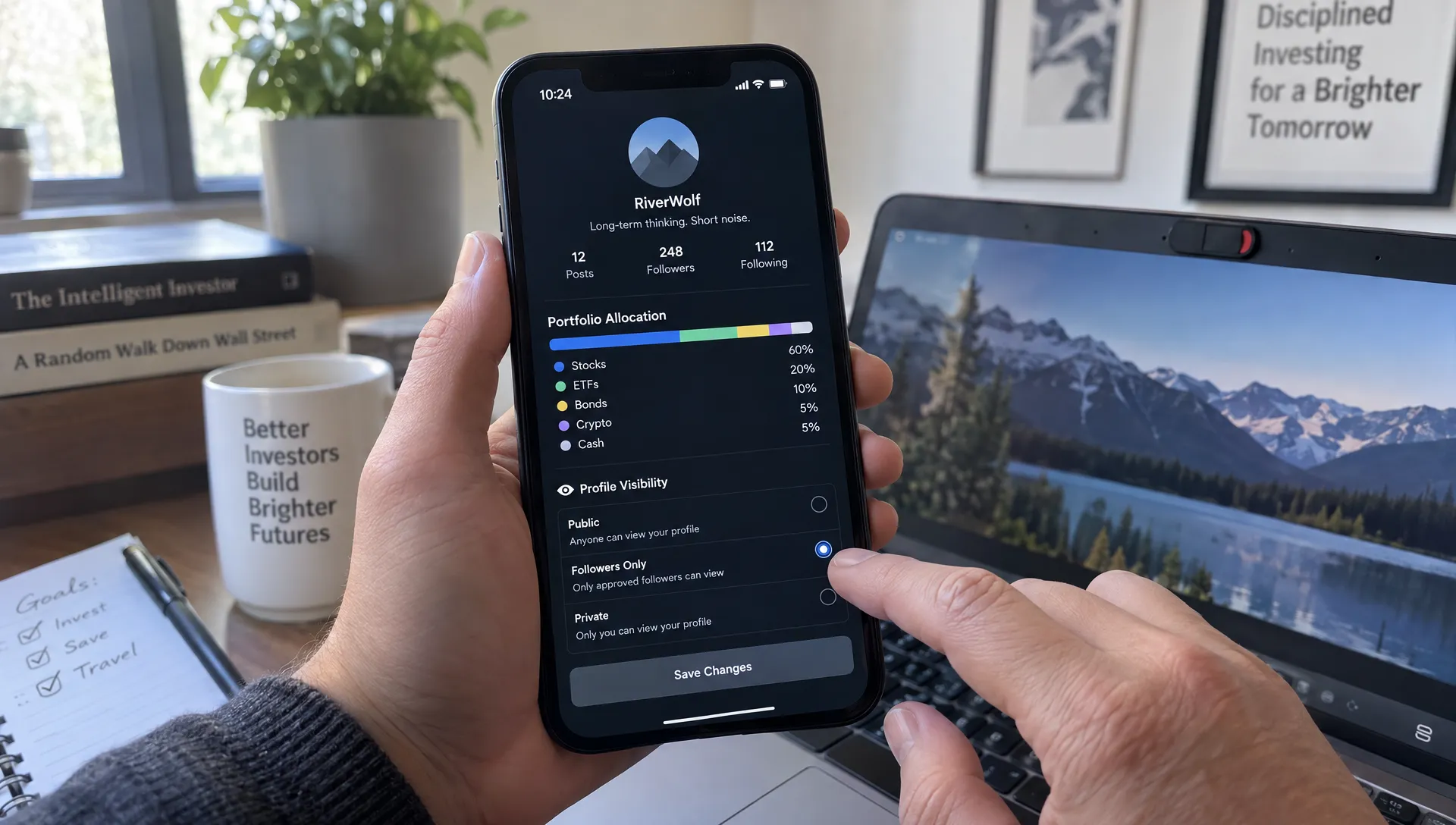
Sharing your investment portfolio can deliver useful investing insights without revealing your net worth, identity or account details. But hiding your name is only one part of the job. Exact position sizes, trade timestamps, screenshots and a familiar username can expose more than you intended.
The key distinction is between what a platform needs to verify privately and what other users can see publicly. Verified holdings can support the credibility of portfolio data. Verification alone does not establish anonymity, account security or the suitability of someone else’s trades.
Before connecting a brokerage account or publishing your allocations, run these seven checks. They apply whether you use an investment research platform, share screenshots in a community or send a portfolio link to a small group.
1. Check who can actually see your portfolio
Start with the audience, not the upload button. A profile described as anonymous may still be publicly accessible. A private account may still have individual posts or shared links that outsiders can open.
Find out whether your holdings are visible to everyone, registered members, approved followers or only people you invite. Also check whether portfolio pages can appear in search results and whether shared links expire or remain accessible indefinitely.
Test the actual viewer experience. Open your shared link in a signed-out browser. If access requires membership, ask a trusted person with the relevant access level to check what appears. Inspect the profile, holdings, transaction history and any downloadable reports separately.
A limited audience reduces exposure, but it cannot stop an authorized viewer from taking screenshots or copying information. Share only what you could tolerate being forwarded beyond that group.
Repeat this check after changing visibility settings. Do not assume that making a profile private also disables links or copies created earlier.
2. Check whether your holdings could identify you
Removing your name creates a pseudonymous profile, not necessarily an anonymous one. A username reused on social media, a recognizable avatar or a biography mentioning your employer can connect your investing activity to your real identity.
Portfolio details can also act as clues. A distinctive combination of employer stock, unusual securities and precise trade dates may resemble information you have posted elsewhere. Publishing the same screenshot under two different usernames can connect those accounts.
Use a separate investing handle and avoid adding unnecessary details about your workplace, location or family. Review older posts for statements about exact purchases or account milestones that could match the portfolio you are sharing.
Be particularly cautious with cryptocurrency addresses. A wallet address is not a private account identifier. On public blockchains, sharing one may expose transaction history and balances associated with that address, and sometimes connections to other addresses.
Ask a practical question: could someone combine this portfolio with my public posts and confidently work out who I am? If the answer is yes, reduce the identifying detail before sharing.
3. Check account-connection permissions before authorizing access
Portfolio verification and trade execution are different functions. A service used only to analyze or compare holdings generally should not need permission to place trades or transfer money.
Read the authorization screen rather than relying on a broad description such as “secure connection.” Where available, prefer authorization through your broker’s own sign-in flow over entering brokerage credentials into an unfamiliar third-party form. A recognizable flow still requires scrutiny of the requested permissions.
Before approving a connection, establish:
- Who receives access: Identify both the platform and any account-data provider involved.
- What data is collected: Look for holdings, balances, transaction history, account identifiers and personal details.
- What actions are permitted: Distinguish read access from trading, withdrawals or transfers.
- How access ends: Locate the revocation controls and check whether authorization expires.
Read-only access reduces the risk of unauthorized account actions through that connection. It does not prevent sensitive information from being collected, retained or exposed.
When assessing portfolio comparison software features, treat the connection model as part of the decision, not just a setup step. If permissions are unclear or broader than the service needs, pause before connecting.
4. Limit the detail needed for portfolio comparison
Useful portfolio comparison does not always require publishing exact dollar values. Other investors can often understand your diversification and concentration from allocation percentages or ranges.
However, percentages are not a complete privacy solution. If you disclose both a position’s dollar value and its portfolio weight, readers can calculate the approximate total. Publishing a share count also allows someone to estimate that position’s market value.
Separate the data needed for private calculations from the fields displayed to other users.
| Information | Privacy concern | Lower-disclosure sharing option |
|---|---|---|
| Total account value | Reveals the size of that account | Omit the balance |
| Position dollar values or share counts | Reveals position size and may help estimate wealth | Share weights or broad allocation ranges |
| Exact trade timestamps | Makes activity easier to match with other posts | Use delayed or periodic summaries |
| Employer stock and account labels | May reveal employment or personal circumstances | Remove labels and aggregate where useful |
For example, saying that a technology position represents roughly one-fifth of your portfolio can support a discussion about concentration without disclosing its dollar value.
You can still use portfolio comparison to uncover hidden risk through sector exposure, overlapping holdings and diversification. Publish the minimum detail needed for the question you want answered.
5. Inspect screenshots, exports and attached files
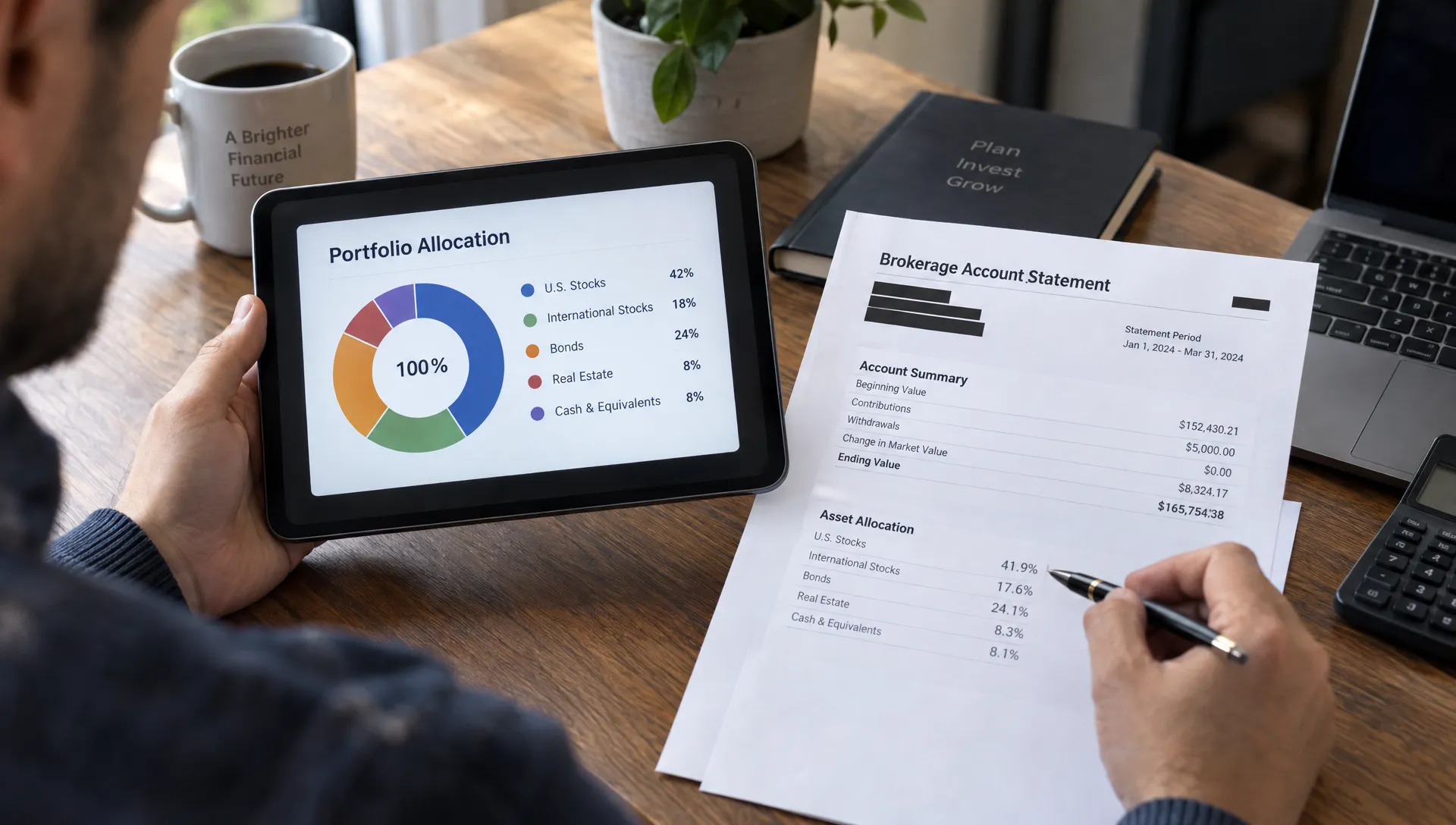
A carefully configured profile will not protect an unredacted brokerage screenshot. Images and exports can reveal names, account numbers, email addresses, browser tabs, notifications, QR codes or identifying filenames.
Inspect the entire frame, including headers, footers and background windows. Brokerage statements may contain addresses or account identifiers on every page, not just the first one. Spreadsheet files can contain hidden sheets, comments and document properties.
Use real redaction, not a translucent shape placed over sensitive text. For PDFs, use a redaction tool that removes the underlying content. A black rectangle alone may leave text selectable or recoverable. For images, use fully opaque redaction or remove the sensitive area, then export and inspect the final file.
Check whether the file retains unnecessary metadata. A screenshot may contain less contextual information than a photograph, but neither format should be assumed clean without inspection.
Before uploading, open the exact file you plan to share. Zoom in, review every page and try copying text from redacted PDF areas. Rename the file if its title contains your name or account details. Share the sanitized copy rather than the original document.
6. Check security, data use and retention together
Public visibility controls and account security solve different problems. A private profile can still be exposed if someone gains access to the account that controls it.
Use a unique password and enable multifactor authentication where available. Protect the associated email account too, since it may be used for password resets. The Cybersecurity and Infrastructure Security Agency recommends multifactor authentication as an additional barrier beyond a password.
Then review how the service handles information behind the scenes. Look for explanations of which companies process account data, whether personal information is used for advertising and whether uploaded portfolios may be used to train AI systems. If a policy is silent, ask rather than assuming the answer.
Retention deserves its own check. Disconnecting your brokerage account may stop future updates without deleting historical holdings, uploaded files or previously generated analyses. Account deletion may also involve different retention periods for operational records and backups.
For an investment research platform, assess both the usefulness of its analytics and the clarity of its data practices. You should be able to understand what is collected, why it is retained and how to request deletion. If those answers remain unclear, share less or do not connect.
7. Confirm your exit plan and response options
Before sharing, know how to reverse the decision. Find the controls for unpublishing a portfolio, disabling shared links, revoking brokerage access and requesting deletion. These are separate actions, and one may not accomplish the others.
Check connected-app settings at your broker as well as settings inside the portfolio platform. Revoking access at the broker can help stop future access through that authorization, but it does not erase data already collected.
Deletion cannot reliably recall screenshots, forwarded files or other people’s copies. Your strongest protection is limiting disclosure before publication.
If information is exposed, first disable public access and revoke unnecessary connections. Preserve evidence of misuse without circulating the sensitive material further. Contact the platform, and contact your broker promptly if credentials, account access or unauthorized activity may be involved. Change compromised credentials and review account activity.
Threats, extortion or a civil dispute may require legal advice in the relevant jurisdiction. For a matter in the Netherlands, Janssen Van den Biezenbos Advocaten in Eindhoven handles criminal and civil matters; ask whether the specific issue falls within the firm’s practice.
Knowing these steps in advance makes it easier to respond without leaving access active while you search for help.
Frequently asked questions
Is it safe to share portfolio percentages instead of dollar amounts? Percentages generally reveal less about account size, but they are not fully anonymous. Exact holdings, public statements about balances and other clues can still identify you or help someone estimate your wealth.
Does verified investor data mean my identity is public? Not necessarily. A platform can verify account information privately while displaying a pseudonymous profile. Check which information the platform and its providers receive, then separately check what other users can see.
Does read-only access mean there is no privacy risk? No. Read-only access limits permitted actions, but holdings, balances and transaction history remain sensitive. Review collection, display settings, retention and deletion as well as permissions.
Will deleting my profile remove everything I shared? Do not assume so. Ask what happens to imported data, uploaded files, shared links and backups. Copies saved by other people may remain outside the platform’s control.
Share for insight, not unnecessary exposure
Upside brings together verified investor holdings, anonymous profiles and portfolio comparison tools. If you are exploring Upside Invest, review its current privacy settings, connection permissions and data policies before deciding what to share.
Start with the smallest useful disclosure: enough information to understand allocations and risk, without publishing account identifiers, exact wealth or unnecessary transaction detail.